Tuesday, March 4, 2014

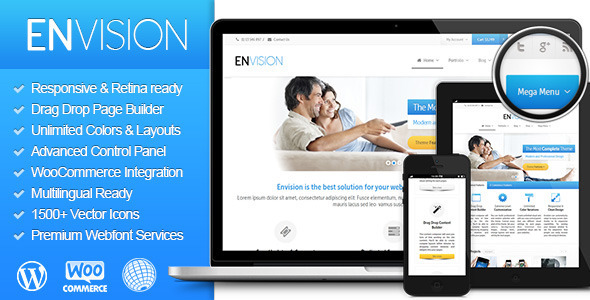
Envision - Responsive Retina Multi-Purpose Theme (Corporate)


  • WordPress 3.8.x Tested and Approved

  • Clean, Modern Design can be used for any type of website – Envision is a multipurpose WordPress template. Build professional and modern websites. Control every pixel of this theme. Set your colors, background patterns, change fonts, change layouts for different pages.

  • Powerful Mega Menus – There is no other theme which provides such a variety of menu types. You can crate mega menus splitted into columns and add images, videos, shortcodes or widget into menu items on the wordpress’ default menu management page.

  • Unlimited Color Skin – You can create unlimited color skin with our new control panel. And you can use diffirent visual settings on per page. Also Envision has predefined color skin for your websites.

  • Drag’n drop Content Composer – The Content Composer will save you tons of time working on the site content. You’ll be able to create complex layouts within minutes by dropping content modules and widgets into your pages.

  • Webfont Services Support – Envision supports all free and premium font services like Typekit, Fontdeck, Webtype, Google Web Fonts. You can use your custom font types on your websites.

  • WooCommerce Ready – add your own Shop and sell anything from digital Goods to Coconuts.

  • Built-inRTL Support

  • WPML Ready – With Envision, there’s no need for concern over any type of language translation. Envision is completely ready to be translated in your language. It has two ways to translate your website into your language. Just translate the included language file and you’re set. Or use our Advanced Admin Panel to translate it. In addition to that it works perfectly fine with the WPML Multilanguage Plugin in case you want to run multiple languages at once.

  • Revolution Slider included (15$ Value) – Envision includes a license of the amazing Revolution Slider Plugin (15$ Value included with Theme Purchase). This plugin features tons of unique transition effects, an image preloader, video embedding, autoplay and lots of easy to set options to create your own effects.

  • 1-Click Setup – Import demo pages, navigation menus, demo widgets, predefined color skin, demo sliders and theme options with one click.

  • Configuration Wizard – Don’t get lost. Only follow the configuration wizard’s instructions on the control panel, and build your website easliy and quickly.

  • Retina Ready – Envision is absolutley future proof. All assets are selected with care so they look great on high pixel desnity devices like iPads, iPhone, Android Devices, Retina Mac Book etc. It looks good on any device.

  • Responsive Design – Envision can automatically adapt to many screen sizes thanks to its responsive capabilities. Try resizing your browser window to see the adaptation. Now people can easily browse your site using smartphones, tablets, laptops or desktop computers.

  • Brandable Control Panel – With the control panel you can replace any sign of CloudFw in your WordPress backend with your own logo and custom styling. Perfect for designers & developers for client work.

  • Entrance Effects – Envision has an advanced effect system. It’s easy to use – You can almost make all page elements animated using Entrance Effect widget via the content composer and insert contents into the widget.

  • Smart Fullpage Pre-Loader – Envision supports smart preloader.

  • Smooth Scrolling – Envision has a smooth scrolling script.

  • 1500+ Vector Icons – Font Awesome + Premium Icomoon Icons ($59 Value) – Colorable, Resizable Vector Icons.

  • Font Awesome Icon Set Integration – We have fully integrated the entire Font Awesome Icon Set with Envision. Each icon can easily be used via shortcodes or the content composer. Juct click the shortcode button, then insert the name of the icon you want to use and you’re done! Users can set icon sizes. And the shortcode also allows you use the icons with or without a circle behind them, and you can also change the icon color, circle color and circle border directly in the shortcode!

  • Sticky Header – Have you ever been at the bottom of a webpage and wanted to go to another page, but didn’t want to scroll all the way back up to the top to select a menu item? With Envision’s sticky header, you no longer have to do that. Your main menu and logo will always be at the top of the screen, automatically following when you scroll. This makes it much easier for your viewers to quickly navigate through your site. And you can easily turn the sticky header on or off in our advanced theme options panel.

  • 8 Special Box Shadows (Click for demo) – You don’t need any image editing application to set the box shadow effect to page elements. Only select your effect on the page composer and It will do this for you.

  • Custom Google Maps – Using only the theme options panel you can customize the entire look of your maps. Change color, upload custom maker icon(also allows multiple maker), choose between simple and rich interfaces.

  • 20+ Prebuilt Pages – Envision has a lot of sample layout and pages for your website. You can use the pre-built pages that created by us for demo site with a few click. (Home (8X), About, Service, FAQ, Pricing, Jobs, Portfolio, Features, Contact and more!)

  • Unlimited Sidebars – You can create unlimited number of sidebars.

  • One Click Theme Upgrader – Envision has a built-in upgrade system. It will notice you when the new version released. The just click to the upgrade button.

  • Cross-Browser Compatibility – FireFox, Safari, Chrome, IE8, IE9, IE10

  • Advanced Blog Options – Choose from 11 different design styles and have as many individual blog pages as you wish! Each page can use a left/right sidebar or be full width with no sidebar, 4 post typves (video, sideshow, audio, image), use pagination, set a premium slider to show, manually reorder posts, awesome rollover effects, set custom Featured Image size per page, Auto generated thumbnails, specify the number of items per page, Automatic pagination, Tons of options to add or remove meta data and more!

  • Advanced Portfolio Options – Choose from 3 different layout styles along with 1-4 column portfolio layouts. Classic layout style, Carousel layout style and the all new Masonry Grids layout style! You can have unlimited portfolio pages each with a different layout! Assign custom categories per portfolio page, manually reorder posts, awesome rollover effects, Full or Half-Width Detail Page, use a sidebar on portfolio page and on single post page, use images, slideshows, & videos, set custom Featured Image size per post, Auto generated thumbnails, specify the number of items per page, Automatic pagination, Sortable/filterable categories! And new options are being added all the time!

  • Advanced Typography Options

  • Wide & Boxed Layout Versions – Envision supports Wide and Boxed Layouts through the theme options panel. For the Boxed Layout version you can set a global background plus individual backgrounds for each page and your backgrounds can be patterns, solid colors or even full-width images.

  • Child Theme Support – For easy customization, that is not affected by theme updates.

  • Video Tutorials – We have created multiple video tutorials that quickly and accurately walk you through using the theme. All videos are in high definition with narration. With these great videos, and our extensive documentation, you will be able quickly and easily setup your new theme!

  • Dedicated Support Centre – We have dedicated support centre for our users to visit. Simply fill out a ticket and we will get you an answer as quickly as possible.

  • Wider Layout Option – Envision is coming with Bootstrap 1170px Responsive layout. You can switch to 960px if you want.

  • Well organized, commented & clean code

  • Valid HTML5


  • Version 1.0.7 (Oct 03, 2014)

    • Added: Catalog Mode option for WooCommerce.

    • Added: New module to add the language selector into the navigation menu.

    • Added: Comment Form texts into the built-in translator of the theme.

    • Added: All static texts, in the blog pages, into the built-in translator of the theme.

    • Added: Gradient background feature for the content area.

    • Added: API Key support for the Google Maps widget

    • Added: Animation Loop(Infinite Carousels) option to the Carousel widgets.

    • Added: 90+ New visual options for more customizability.

    • Added: New visual options for the Global Page Preloader.

    • Added: New visual options for the Blog, Portfolio and Product grids.

    • Added: New visual options for the Testimonials widget.

    • Added: New visual options for the Twitter widget.

    • Added: Title attribute for Button widget.

    • Added: .svg file type support for the file uploader.

    • Added: Support of using of the Content Composer widgets and shortcodes in the Accordions widget.

    • Added: Margin-left option for the Icon Text widget.

    • Added: Lightbox link support for the Text Block + Icon widget.

    • Added: Title/heading element option for single blog post pages.

    • Added: Style codes for the List custom taxonomy widget.

    • Improved: The control panel UI for more compatibility with 3rd party plugins.

    • Improved: The video backgrounds centering function.

    • Fixed: The header navigation sorting for the RTL languages.

    • Fixed: Lightbox links for the old versions of IE.


  • Version 1.0.6 (Dec 11, 2013)

    • Added: BBPress Forums compatibility.

    • Added: Parallax effects for fullwidth sections and title bars.

    • Added: RTL support

    • Added: RTL support for Child Theme

    • Added: Logical Conditions widget.

    • Added: Fixed item option for Accordion widget.

    • Added: New option for orginal image/video aspect ratio.

    • Added: New option to enable/disable Lightbox links for Single Image widget.

    • Added: New option to set the user capability for the Save/Load Templates buttons in the content composer.

    • Added: New option to set the user capability for the Pre-Built Pages button in the content composer.

    • Added: New options to change portfolio-category, portfolio-tag and portfolio-filter slugs.

    • Added: ID and Class attribute options for Columns widget.

    • Added: New visual option for the color of current page navigation item.

    • Updated: Revolution Slider to the version 4.1.1

    • Updated: Aqua Resizer to the version 1.2.0

    • Updated: Google Maps jquery script to the version 2.1.5

    • Fixed: The google maps marker issue.

    • Fixed: Offset issue for Sticky Top Bars.

    • Fixed: Issues with the old versions of Internet Explorer.

    • Fixed: Square brackets ([,]) issue for the next / previous post links.

    • Fixed: Minor bugs on the control panel.


  • Version 1.0.5.1 (Dec 1, 2013)

    • Added: CloudFlare Minifier Compability

    • Added: New layout without header and footer

    • Added: Custom link option for the site logo

    • Fixed: Header background image issue

    • Fixed: Clients List widget carousel issue

    • Fixed: Navigation menu dropdown issue on iOS devices


  • Version 1.0.5 (Nov 27, 2013)

    • Updated: Revolution Slider to the version 4.0.5

    • Added: WordPress 3.8(beta) Compability

    • Added: Specific logo for header when sticky mode on.

    • Added: Sticky topbar support.

    • Added: New options to set offset for the sticky headers.

    • Added: Custom Menu Support for the user login widget.

    • Added: Global option to show/hide blog featured images.

    • Added: Icon support for the Accordion widget.

    • Added: New portfolio sorting option.

    • Added: New option to use default image size on single blog posts.

    • Added: An option to hide the sub items of the login drop-down menu widget.

    • Added: New widget/shortcode “Like this Page”.

    • Added: New option to disable side panel for the cart widget on the top bar.

    • Added: Alt and title attribute for Boxed Media Contents.

    • Added: New typography option to change the font size in sidebars.

    • Added: New option to set global default page layout.

    • Added: New options to select button color of side panel handler/close buttons.

    • Added: New visual options to set custom fallout menu background and border.

    • Added: New visual options to set custom mega menu background and border.

    • Added: New visual options to set top bar menu background.

    • Added: New visual options to set global content background.

    • Added: New visual options to set only text color in the sidebars.

    • Added: New visual options for mobile menu and mobile menu toggle.

    • Added: New visual options for the texts in side panels.

    • Added: Gradient background support for header backgrounds.

    • Added: Sticky post text for translation.

    • Added: Custom code areas on the before/after single blog posts

    • Added: New style (plain text style) for the Twitter widget.

    • Added: New option to show/hide carousel navigation arrows for the Twitter widget.

    • Added: New option to insert a custom page content above the footer for all pages.

    • Added: New option to set title and alt attibutes for the Boxed Media Content Widget.

    • Added: Custom code support for Single Blog Post pages (after/before content and post).

    • Fixed: WordPress Multisite mime types issue when occurred generating dynamic style files.

    • Fixed: Sticky header height issue on some devices.

    • Fixed: Twitter OAuth issue on some servers.

    • Fixed: Placeholder image issue.

    • Fixed: Custom fontface font importing issue.

    • Fixed: IE10 Galleries in Lightbox.

    • Fixed: IE10 Video Background.

    • Fixed: Image resizer for absoulute paths.

    • Fixed: Woocommerce Cart Table width on mobile devies.

    • Fixed: Custom Side Panel button visibility option.

    • Fixed: The List widget issue when occurred used in the Accordion widget.

    • Fixed: Smooth scroll script speed for Mac OSX / Chrome

    • Fixed: Minor issues.

    • Updated: Language Files.


  • Version 1.0.4 (Nov 11, 2013)

    • Updated: Revolution Slider to the latest version (4.0.4) (How to upgrade)

    • Added: New option to enable/disable the lightbox on mobile devices.

    • Added: New option for selecting titlebar text heading element.

    • Added: New option to enable/disable custom select elements.

    • Added: One column footer option.

    • Added: Close button option for the side panels.

    • Added: Visual option for setting top/bottom margins in boxed layout.

    • Added: New list style for Sub Pages widget.

    • Added: Gravity Forms Support.

    • Added: Option to enable/disable custom select elements on Gravity Forms.

    • Added: Title and alt attribute option to Single Image widget for seo purpose.

    • Added: Title and alt attribute option to Clients List widget for seo purpose.

    • Added: Title and alt attribute option to Testimonial widget for seo purpose.

    • Added: Title and alt attribute option to some widgets in the content composer.

    • Added: Entrance effect ability to Message Boxes.

    • Fixed: Video background posters to fit parent container.

    • Fixed: Login widget in the sidepanel appearing issues on the woocommerce cart/checkout pages.

    • Fixed: Woocommerce product list table width on mobile devices.

    • Fixed: Woocommerce messages background issue.

    • Fixed: Header element in mini blog lists layout.

    • Fixed: Smoothscroll function.

    • Fixed: Minor bugs.


  • Version 1.0.3.1 (Nov 6, 2013)

    • NEW FEATURE: New option to “Clients List” widget in the content composer for sorting random/default.

    • Added: PSD file for homepage design.

    • Added: New article to the theme documentation / How to move your website to another server smoothly.

    • Added: New article to the theme documentation / Setting Up the Side Panel.

    • Fixed: The shortcode issue of the side panel content that occurred when the content generating without the content composer.

    • Fixed: “Add to Cart” button for Internet Explorer 9.

    • Fixed: Socialbar mail icon target blank issue.

    • Fixed: Some codes for HTML5 validation.

    • Improved: Breadcrumb styles with dark backgrounds.


  • Version 1.0.3 (Nov 5, 2013)

    • NEW FEATURE: Added an option to hide sidebars on small screens.

    • NEW FEATURE: Added an option to show/hide featured images on single blog post pages.

    • NEW FEATURE: Added ajax support for mini WooCommerce carts widget (If you use a page cache plugin, you may need this feature)

    • Optimized: javascript files to improve loading speed of pages.

    • Optimized: style files to improve loading speed of pages.

    • Optimized: static images in the theme to improve loading speed of pages.

    • Optimized: Socialbar widget sprite images.

    • Fixed: CSS Entrance effects on mobile devices.

    • Fixed: Side panel witdh issue.

    • Fixed: WooCommerce select element issue.

    • Fixed: Some minor bugs.


  • Version 1.0.2.1 (Nov 2, 2013)

    • Updated: Theme Documentation

    • Fixed: Sticky header issue


  • Version 1.0.2 (Oct 31, 2013)

    • Added: dummy posts XML files.

    • Fixed: “Cannot modify header” error message that occurs when saving options.


  • Version 1.0.1 (Oct 30, 2013)

    • Fixed: “Cannot modify header” error message that occurs when saving options.


Note: Used images in previews such as slider images, thumbnail, all conceptual images NOT INCLUDED in the package due to copyright issues.

Monday, March 3, 2014

Bonbonzine–Magazine | Blog Theme. Multiple Authors (Blog / Magazine)


“Bonbonzine”, wordpress.org theme, was done for boutique type small magazines or just personal blog with possibility to involve multiple authors and contributors. It is simple in use, based on default WP functionality (no custom post types, no page builders and shortcodes) and comes with a number of small custom plugins written especially for this theme (more info on demo site About Page). No frameworks used. Javascript is minimal.

What it has:


  • Full-width html5 video or image for top block of Home Page

  • Picked up categories shown on Home Page

  • Page templates for home, authors, archives, contact, category specific, category single specific +

  • 3 custom plugins (widgets) which will assist to organise your content easily and with taste

  • Masonry layout for number of pages

  • Web and icon fonts

  • Readable typography

  • Suitable to browse on various screen resolutions and retina display ready (view iPhone screenshots)

  • Comes with Help file in html format with screenshots | screencasts

  • Small and nice injections like redecompressed image quality, captions, responsive embedded videos, share buttons, custom gravatar and more


Tested on:


  • Wordpress 3.5 and Wordpress 3.6

  • Mac: Opera, Chrome, Firefox, Safari

  • Windows 7: IE9, Chrome

  • Windows XP: IE8, Chrome

  • Mobile | Tablet: iPhone 4S | Galaxy 10.1


Validation:


  • HTML: no errors (besides a few ones caused by WP itself like “rel” attribute)

  • Theme Check: no warnings, no recommendations


Credits:


Be sure to check About page of demo site and view screenshots.

Thank you for viewing!

Blaze Mag: Subcompact Magazine / News WP Theme (Blog / Magazine)


Blaze Mag is a clean, responsive and modern wordpress magazine theme. Use it for your fashion, design, technology, gaming, culture, cinema and news online magazines. Easy installation, flexible layout, page builder and mega menu.

If you like our theme, please don’t forget to rate it

Here you can find our online documentation: http://blazefirst.themeflames.com/doc/

A step-by-step video tutorial will be here in a couple of days.

Here are some key features:

Features


  • Easy to use and learn drag & drop page building system

  • 3-column design

  • A fixed mega menu on top (being fixed can be disabled)

  • Login panel and social media icons on top menu

  • Unlimited different category pages thanks to Visual Composer

  • Grid system to display posts

  • Featured slider

  • A fresh and modern looking subcompact single posts

  • A sticky post option for pages (visible on the homepage of the demo)

  • 4 column footer section

  • Author profiles with social media icons

  • Comment area is toggled via click to make the design cleaner

  • Next & Previous posts under each article

  • Responsive design

  • Retina display ready

  • Category colors and different sidebars for each page

  • Facebook fans, video, gallery etc. widgets


Note: Any content (images and text) you see on the demo is for preview purposes only. They are not included or distributed with the theme. Copyrights belong to their respected owners.

Lania - MultiPurpose WordPress Theme (Corporate)


TemPlaza forum
TemPlaza forum
TemPlaza twitter
TemPlaza fanpage
TemPlaza dribbble
TemPlaza behance
TemPlaza Video
TemPlaza envato

Looking for something unique to have a great website that satisfy demands of event, blog, corporate or business website, then please checkout Lania- Responsive Wordpress Theme.

Compatible with Wordpress 3.7.x, Lania is a versatile, fully responsive and professional designed theme with different 4 homepage styles and easy customization with loads of great features. It’s really awesome apperance attracting visitors.

Features


lania wp intro

Sunday, March 2, 2014

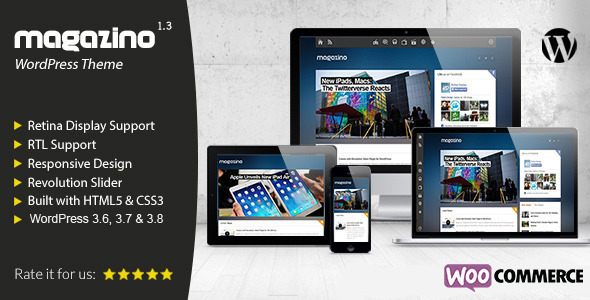
Magazino - Responsive WordPress Theme (Blog / Magazine)


Please, don’t forget to rate us, so that we can improve our items and create better ones!

Magazino is a new Responsive WordPress Theme for blogs, magazines, newspapers and news portals. It’s fully responsive and optimized for desktops, tablets and smartphones.

Joomla Version is available here: http://themeforest.net/item/magazino-responsive-joomla-template/5444537


Features


  • Unique and Modern Design

  • RTL Support

  • Retina Support

  • Responsive Design

  • Built with HTML5 and CSS3

  • Compatible with WordPress 3.6 and 3.7

  • Powerful and easy to use theme options

  • Revolution Slider – Save $15

  • Built-in widgets (GK News Show Pro, GK Tabs, GK Comments)

  • Sidebar on the left/right

  • Menu on the left/top side of the screen

  • Multiple Layout Options

  • Widget Rules – Show/Hide widgets on pages, devices or users, select one of 11 styles/icons

  • Add easily Google Analytics Code

  • Homepage with widgets or latest posts + widgets

  • 14 available fonts

  • 1-Click Installation

  • Well Documented

  • Fully Compatible with all major browsers

  • Free technical support and free updates to everyone


Easy Installation


Install easily and in a few minutes our theme and the Sample Data. In the package, you can find a .json file (if you want to restore theme options to default), a .xml file (to import all images, articles and videos that we created for our live demo) and a .wie file (to install all widgets and their settings as you can see them on our live demo).

Easy Customization


Magazino – Responsive WordPress Theme, comes with powerful Theme Options (by Gavern Framework). Here are a few things that you can do through Magazino’s Theme Options:

  • Change the theme’s menu style (left menu, top menu, top menu with text)

  • Enable/Disable widgets on homepage

  • Enable/Disable share icons on posts and on pages

  • Change your site’s title and description

  • Enable/Disable Shortcodes

  • Change theme’s and sidebar’s width

  • Enable/Disable comments on pages

  • Add Google Analytics code

  • Change footer’s text

  • Change favicon


Note: If you want to check Theme Options before purchasing our theme, please let us know with an email!

WordPress 3.8


Our theme is fully compatible with WordPress 3.6, 3.7 and 3.8.

Widget Rules


With Widget Rules, widget’s management is easier than ever before. You can assign widgets to specific pages, select widget’s style (12 custom styles – you can create your own easily by editing one CSS file) and make them visible to specific devices (e.g. tablets/smartphones) and/or users.

WooCommerce


Magazino – Responsive WordPress Theme, comes with WooCommerce plugin, the most popular WordPress plugin for eCommerce websites. You can sell your own products and create your eCommerce website, easily and in a few hours.

Free Technical Support & Updates


Magazino – Responsive WordPress Theme comes with free updates and technical support. For help/info, please visit our new Support Forum: http://www.hellasdesign.gr/forum

Credits


  • Images by Daniele Zedda: WebsiteFlickr – They are not included in the main download!

  • Revolution Slider

  • Gavern Framework

  • GK News Show Pro

  • GK Tabs

  • GK Comments


Package Includes


  • Magazino Theme for WordPress

  • Documentation file

  • Demo Content


Updates


Version 1.0 – 6 November 2013
Initial Release

Version 1.1 – 14 November 2013

  • Option to add text menu on the top of the screen (instead of menu with icons)

  • New menu icon for smartphones/tablets


Note: On existing websites you can upload only these files:

  • MagazinoWP/css/top-text-menu.css

  • MagazinoWP/gavern/config/en_US/styles.json

  • MagazinoWP/images/mobile_menu_btn.png


Version 1.2 – 17 December 2013

  • WooCommerce Integration

  • Improvements to the main menu

  • Open post images in a popup window (with thickbox)


Here you can find instructions on how to update our theme to the new version!

Version 1.3 – 10 January 2014

  • New version of Revolution Slider – version 4.1.4

  • All images are from the portfolio of Daniele Zedda: WebsiteFlickr

Revista - Ultimate Flat Magazine WordPress Theme (Blog / Magazine)


Revista is a ultimate simple flat magazine WordPress theme. It is suitable for Magazine, Blog, Fashion and any other type of blog. You can customize the homepage as per your needs as the homepage of this theme is completely widgetized. You just need to drag and drop the widgets to build the homepage.

It is also compatible with WooCommerce so you can easily setup an online shop with this theme.


Features


  • Flat, Minimal and Image-less Design:
    Design of this theme is really neat and clean and it is built with CSS only without using any images. This means that your website or blog will load faster.

  • Widget Ready Homepage:
    Homepage of this theme is widget ready. You can drag and drop various widgets/blocks to build a homepage of your own.

  • Different Category/Blog Styles:
    You can choose from 5 different layouts for categories. Every category can have different style from other categories.

  • Review System:
    Revista has built in review system. You can add ratings to any article and use star or percentage rating type.

  • Responsive Layout:
    Layout of this theme is 100% responsive. This means that the theme will adjust it’s layout automatically according to screen resolution of device and content will be easily readable on any device like mobile phone, tablet, laptop or desktop PC.

  • Custom Colors and Background for Every Category:
    Every category can have it’s own color scheme and background image. You can make every category page different from other category pages by using different color scheme and background image.

  • Video Thumbnails:
    This theme supports video thumbnails. You can use video thumbnails or featured images for Video post type.

  • Unlimited Colors:
    Different users have different color preferences. Revista comes with unlimited color options so you can choose the color of your choice.

  • Translation Ready:
    Revista is ready to be translated into any language of your choice. Theme comes with .po and .mo files and you can easily translate it to other languages.

  • Layout Options:
    You can choose for wide or boxed layout. You can also align sidebar to left or right position.


Other Features


  • Neat and clean code with proper comments

  • WordPress custom menu support

  • 600+ Google web fonts

  • Sharing buttons for articles

  • Related posts

  • Author information box below articles

  • 3 Post Options: Audio, Video and Image

  • Sticky Navigation Menu

  • Custom Logo Upload

  • Custom Favicon Upload

  • Custom 404 Error Message

  • Custom Background Patterns

  • Custom CSS

  • Ad Management

  • Back to Top Button with Smooth Scroll

  • Pagination

  • Breadcrumbs

  • Google Analytics

  • Option to change or remove copyright text

  • Custom Widgets:

    • 125×125 Ads Widget

    • 300×250 Ads Widget

    • 468×60 Ads Widget

    • 728×90 Ads Widget

    • Popular Posts Widget

    • Recent Posts Widget

    • Subscribe Widget

    • Tabs Widget

    • Facebook Like Box

    • Social Widget


  • Free Updates and Support

  • Rich Documentation


Changelog


Version 1.3.1 (December 2, 2013)
------------------------------
- Added option to show latest posts by category
- Added option to disable responsive layout
- Added video thumbnails for recent posts
- Minor bug fixed for responsive layout on iPhone layout.
- Changes to .po and .mo files

Version 1.2 (October 30, 2013)
------------------------------
- Added slider widget
- Minor CSS bug fix in gallery and related posts navigation
- Slider scripts load only when slider is used
- Added .po and .mo files for Spanish language
- Added guide to translate the theme in documentation

Version 1.1 (October 28, 2013)
------------------------------
- Added slider on homepage
- Added sticky navigation menu option
- Added back to top button with smooth scroll
- Option to change or remove copyright text from footer
- Minor CSS bug fixes

Version 1.0 (October 24, 2013)
------------------------------
- Initial Release

Credits


Images in demo are not included in download file and are credited to:

Shermeee, Nathan Photography, Janitors, Robert Scoble, rafael-castillo, Heather Cowper , mkhmarketing, Ben Ramirez, Sarah Larson, Johan Larsson , Lai Ryanne, Mark Sebastian

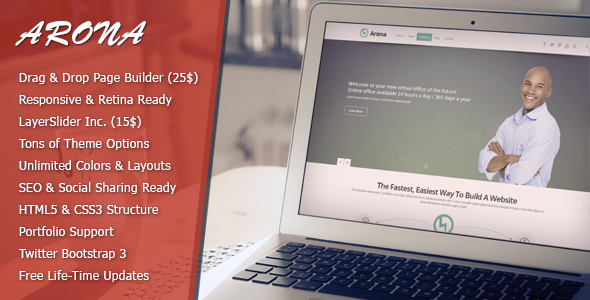
Arona - Responsive Business WordPress Theme (Corporate)


Current version: v1.0.8 (22.12.2013)


Please rate 11111 if you like our work! [How?]

MetCreative’s Arona Wordpress theme is HTML5, CSS3 and Responsive.Arona’s layout is also liquid, this means it can fit any other screen like low resolutions 800×600 or 1024×768. Arona responds to tablets and phones.

Page creation with Arona is so easy, you just drag and drop built in elements where ever you want and fill it’s details as you wish. Premium plugin visual composer included 25$ worth value, free for Arona customers (:

You can upload and use retina logo for the retina screens like iPhone, iPad etc… Arona’s theme update is as easy as ABC, you put your ThemeForest Username and API key in order to update your theme.Also, you can make the menu follow screen as user scrolls down or just let it stay. You can make Arona Boxed, this lets you put image or pattern on background which makes your website looks different.

Social Sharing! is ready to use and built in with Arona, your visitors can share your pages with just a click and your post picture, title, detail and link can go to their wall and you can gain visitors from Social Networks like Facebook, Twitter, Pinterest, Google+.

If you are looking for Business, Company, Agency website, Arona is tailor-made for you!

What Arona customers says;


Hello,

Thanks so much for this great theme! I purchased it for a client and must say it works like a charm! I love the fact that so many settings are so easy to adjust from the backend, but also the technical part works very well with the language files, well documentation, clear css files etc.

I rated the theme with 5 stars, and follow Met_Creative now, hoping to be able to use more of your themes in the future!

Best regards,

Marcel Oerlemans Compass Creations www.compasscreations.nl

Amazing help and amazing theme, ones of these themes you can really make look professional for our clients. Well made and documented. Thank you very much for all the help- it’s not luck that 103 purchases have been made so far! kofoe

Just Drag & Drop!


Drag & Drop Page Builder

Advanced Theme Option Panel

Click here for screenshots

Seo ready

Fully Responsive


Theme Features

  • Wordpress 3.8 Ready

  • Drag & Drop Page Builder

  • Translation Ready (.po .mo included)

  • Fully Responsive

  • Integrated Coming Soon Plugin

  • SEO Ready! (Compatible with yoast)

  • Easy Installation

  • Advanced Theme Options

  • Contact Form 7 Support

  • Well Documented

  • 4 Portfolio Layouts

  • Portfolio w/ video and gallery support

  • Blog w/ video and gallery support

  • Demo Content Included


Version History


v1.0.8 (22.12.2013)
- Updated: VisualComposer updated(3.7.3)
- Updated: LayerSlider(4.6.6)
- Fixed: Composer empty element icons.
- Fixed: Team Member url selector issue.

v1.0.7 (20.12.2013)
- Fixed: Portfolio Showcase element javascript issue.
- Fixed: Responsive menu viewport issue.

v1.0.6 (10.12.2013)
- Page Info Bar long text issue fixed.
- Gallery portfolio type slider fixed.
- Logo rotator(brand carousel) javascript issue fixed.
- Like system issues fixed. (Delete plugin completely and re-install)

v1.0.5 (27.11.2013)
- Skill circle items link issue fixed.

v1.0.4 (22.11.2013)
- LayerSlider auto installer bug fixed.
- Skill circle items are now clickable or not.

v1.0.3 (07.11.2013)
- Hot fix for auto update class.

v1.0.2 (01.11.2013)
- Documentation updated.
- Auto theme update class updated.
- LayerSlider updated. (Import function fixed)
- LayerSlider demo data included.
- Maintance mode fixed.

v1.0.1 (26.10.2013)
- Fixed: Team Member Box Hover Issue
- Fixed: IE10 Menu Hover Issue
-----------------------------------------------
- Release (25.10.2013)

Credits


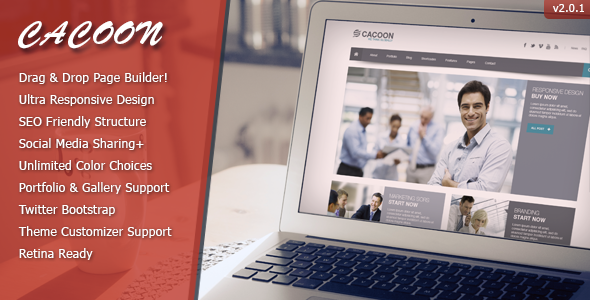
Cacoon - Responsive Business Wordpress Theme

MetCreative Team

Flag Counter


Copyright @ 2013 Premium Templates and Themes.

Designed by Templateify & Sponsored By Twigplay